ObserveAutomation

Homelab

The homelab is where things get built, tested, and occasionally broken. These articles document the infrastructure behind ObserveAutomation — from bare metal Proxmox hosts to containerised services, monitoring stacks, and the automation platform that runs it all.

This section is unabashedly technical. If you’re a fellow tinkerer, you’re in the right place.
Homelab

Tempo and the OTel Collector, the trace pipeline

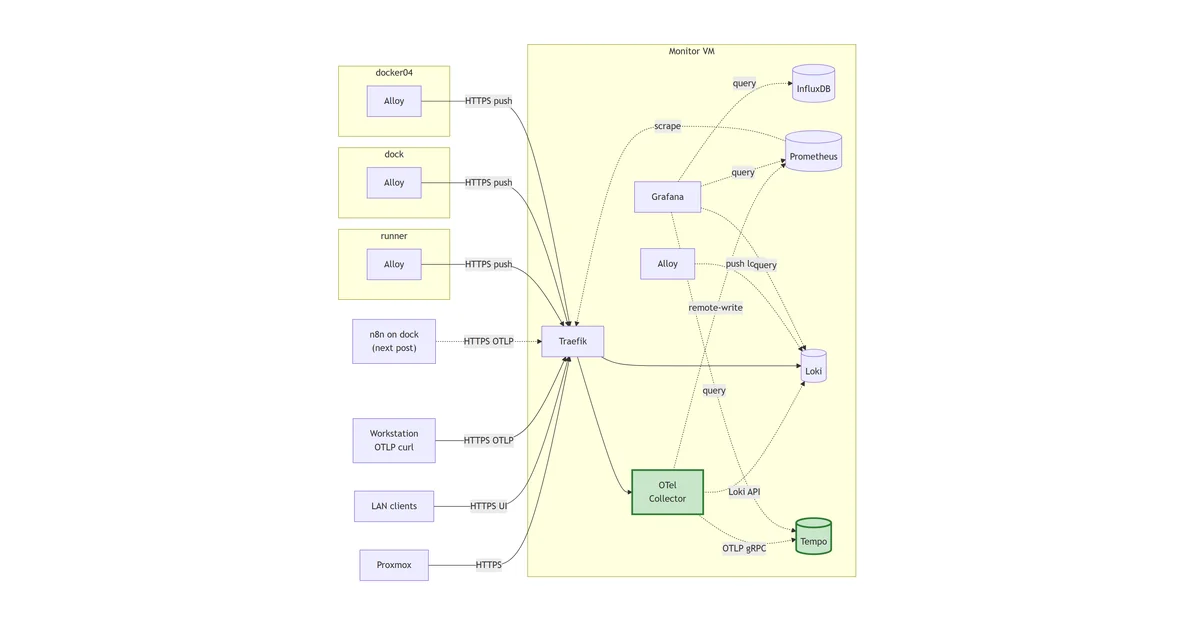
Standing up Tempo as the homelab's trace store and the OpenTelemetry Collector as the push ingest plane in one move, co-deployed because the store is hollow without producers and the Collector is hollow without a trace backend. Three signal types (metrics, logs, traces) now flow through one Collector with consistent OTLP semantics, fanned out to Prometheus, Loki, and Tempo on the internal Docker network. Path-based Traefik routing keeps the public surface to two hostnames.

Read more →
Homelab

Alloy across the Docker estate

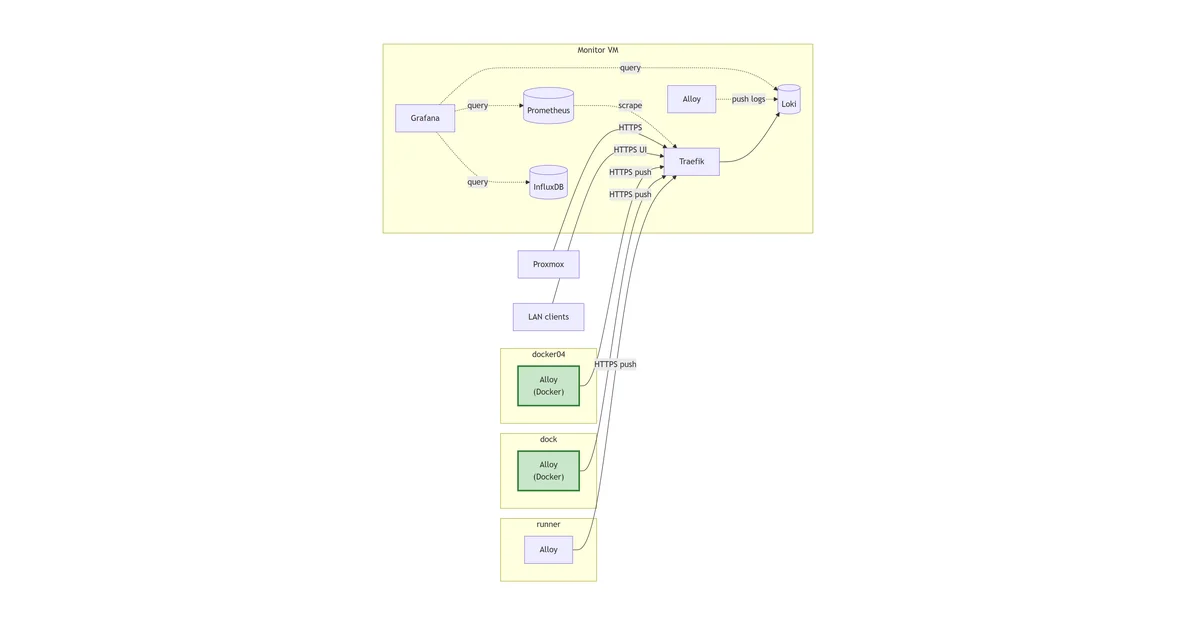
Rolling Alloy onto the other two Docker hosts in the lab, dock and docker04, with the central Loki picking up logs from all three. Same compose as monitor's stripped down to alloy-only, parameterised by HOST_LABEL in .env so the per-host knob is one line. Shows how the host label makes queries addressable by Docker instance, and flags the temporary container-name collisions that exist while the wider stack roll-out completes.

Read more →
Homelab

Loki and Alloy, centralised logs

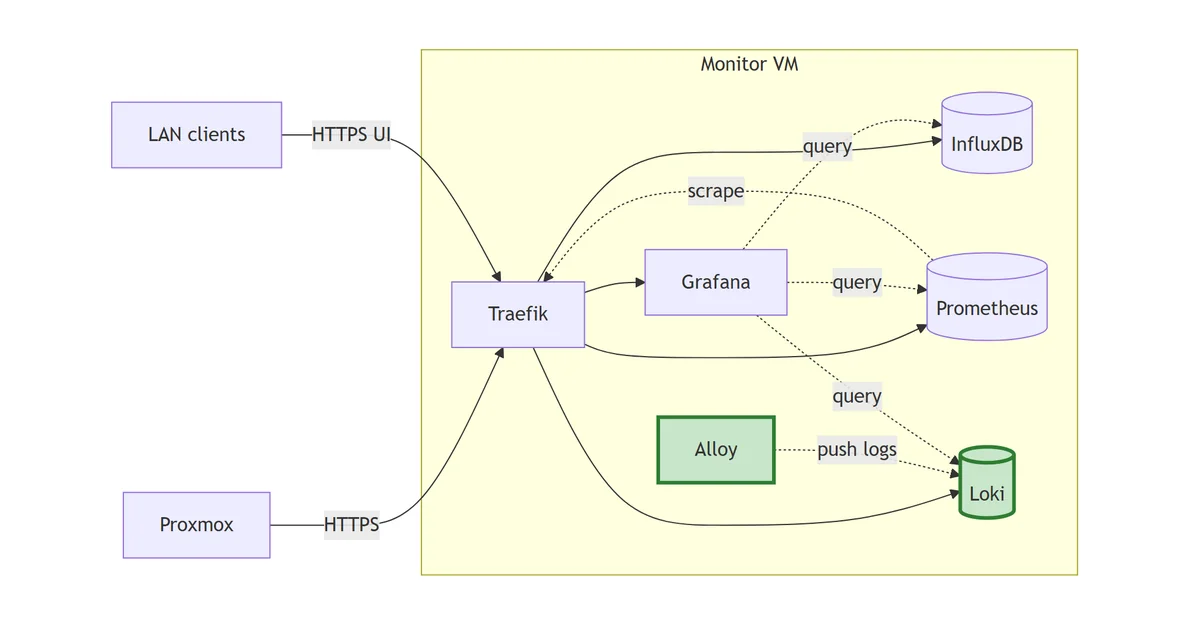
Standing up Loki on the monitor VM behind Traefik, shipping every container's stdout with Grafana Alloy, and wiring it into Grafana as a third provisioned datasource alongside InfluxDB and Prometheus.

Read more →
Homelab

Rolling Alloy to a non-Docker host

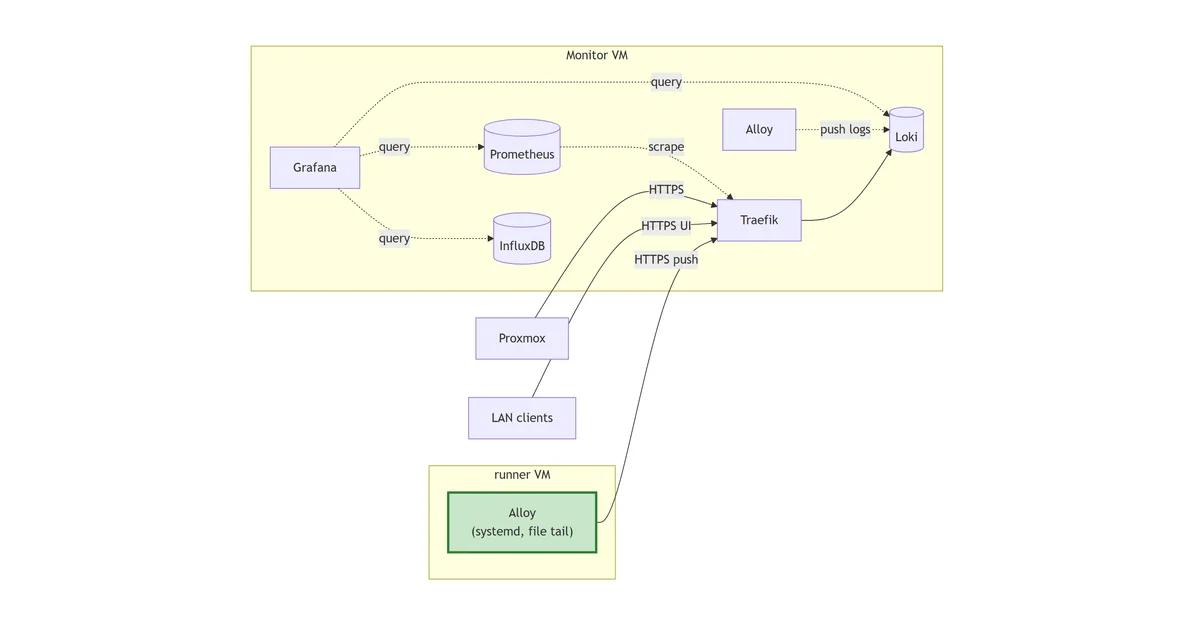
Extending the log pipeline to a host without Docker. The runner VM gets a native systemd Alloy from Grafana's apt repo, tails the eMailJobScraper Python logs with loki.source.file, and pushes them over TLS to the central Loki. Proves the public push API works for satellite agents, surfaces a directory-traversal trap on the way through, and previews what Alloy's OpenTelemetry lineage buys for later.

Read more →
Homelab

Prometheus, the second metric store

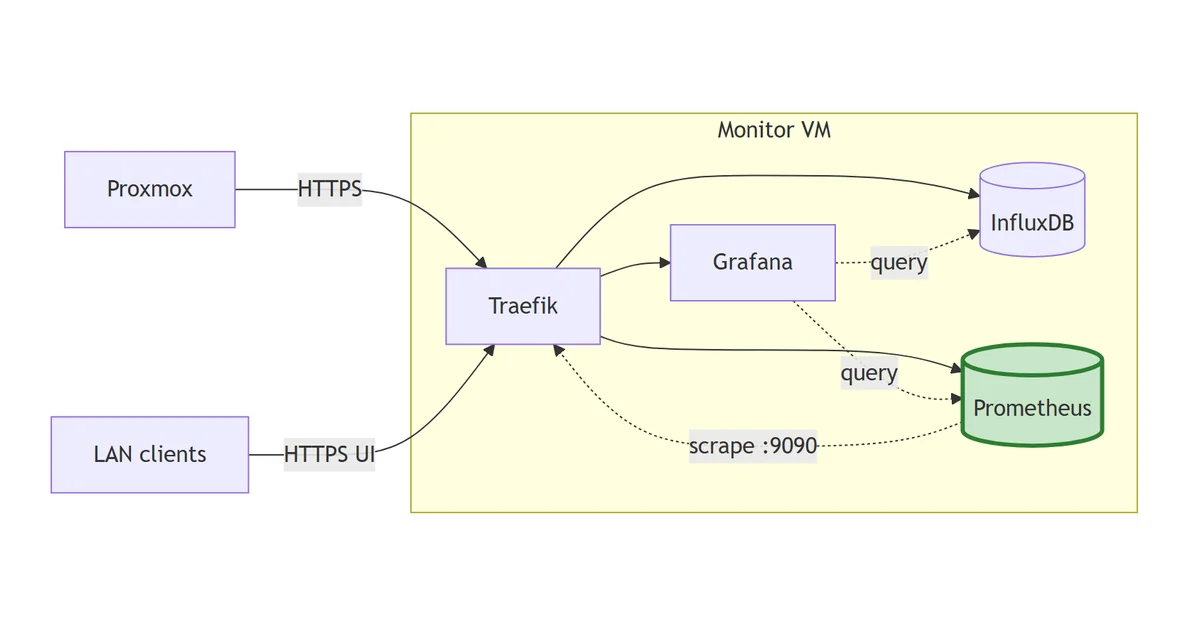
Standing up Prometheus on the monitor VM behind Traefik, scraping Traefik's own metrics endpoint as the first target, and wiring it into Grafana as a second provisioned datasource alongside InfluxDB.

Read more →
Homelab

Grafana on top of InfluxDB

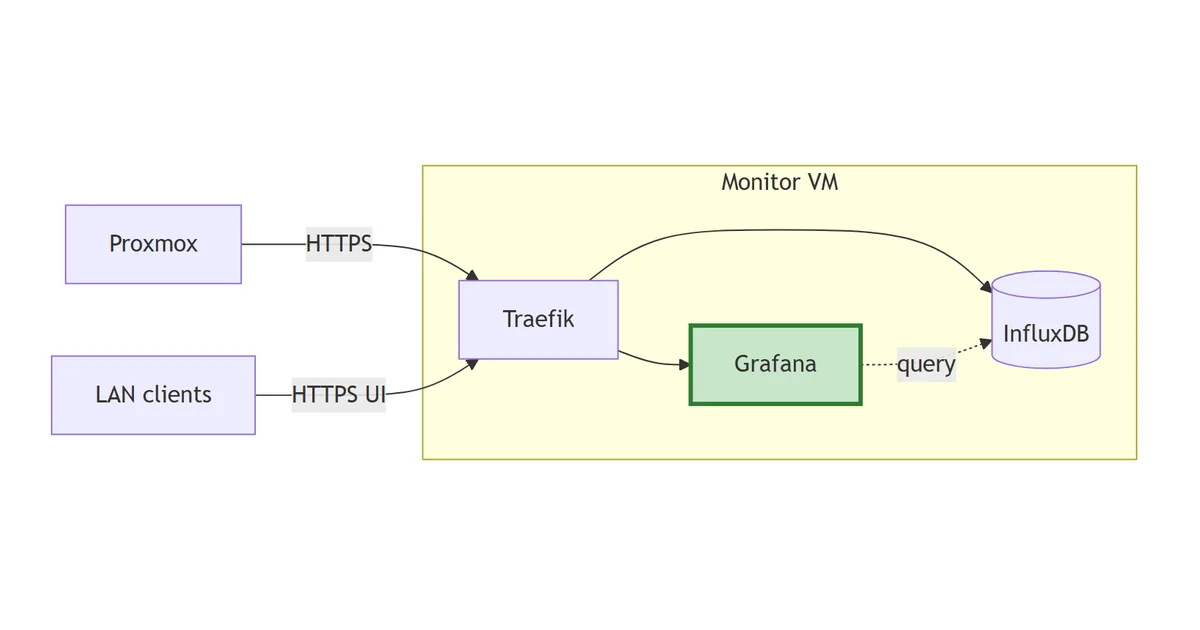
Standing up Grafana behind Traefik, wiring it to the Proxmox bucket in InfluxDB as a provisioned datasource, then dropping in a community Proxmox dashboard.

Read more →
Homelab

InfluxDB for Proxmox metrics

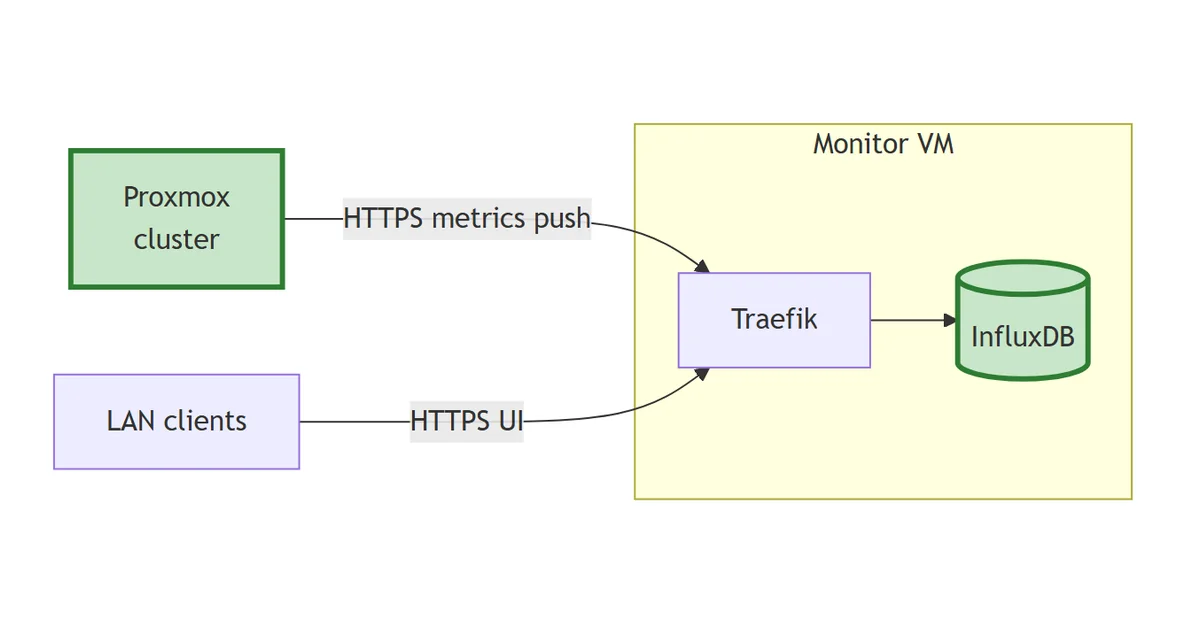
Standing up InfluxDB v2 on the monitor VM and pointing Proxmox at it as the first metrics source.

Read more →
Homelab

Setting up the monitor VM and Traefik

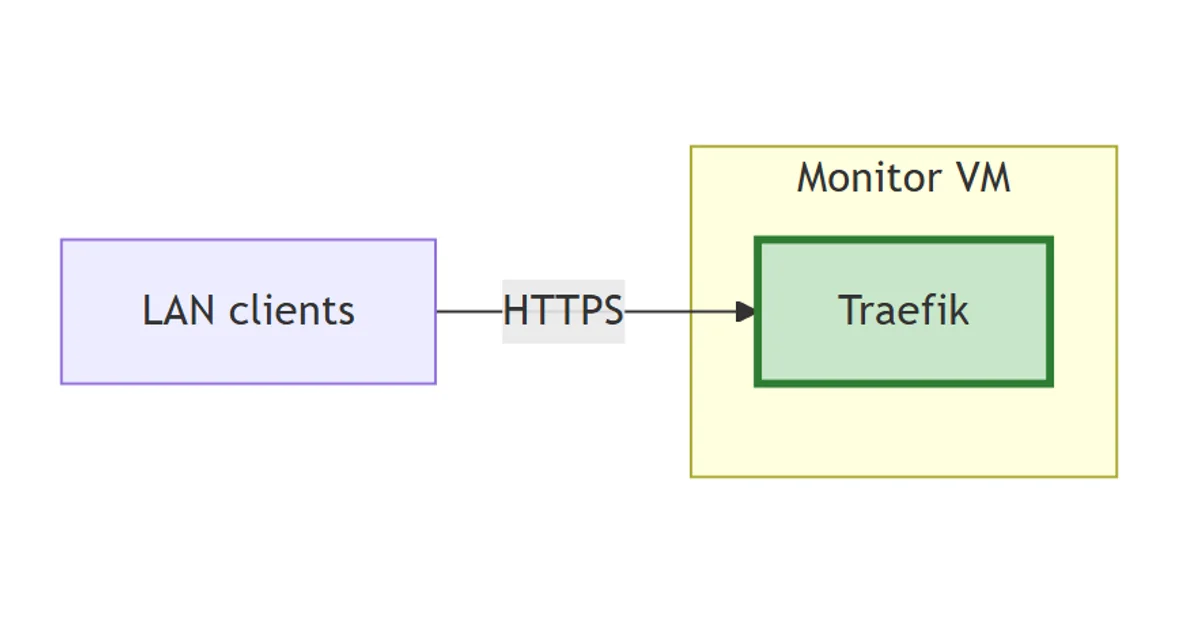
Provisioning the Ubuntu VM that will host the observability stack, and standing up Traefik as the ingress before any other component arrives.

Read more →
Homelab

Monitoring Refresh - An introduction

I'm rebuilding my homelab monitoring from scratch with production-grade tools, step by step. Here's why, and what's coming.

Read more →
Homelab

AI Voice Receptionist

Building an AI Voice Receptionist for ObserveAutomation, both as a portfolio piece and as a product I can sell to local small businesses.

Read more →
Homelab

Installing Beszel for Monitoring

Read more →
Homelab

Notifications with ntfy

Using ntfy for homelab notifications that still work when broadband is down. Sits alongside Beszel for host and container monitoring.

Read more →
Homelab

Docker Server #3 with CloudInit

Building a third Docker VM with CloudInit on a new Proxmox server, so a single PVE failure no longer takes the container estate down.

Read more →
Homelab

Proxmox Server 2

Building a second Proxmox server to add redundancy to the homelab and host Docker containers in proper VMs instead of LXC.

Read more →
Homelab

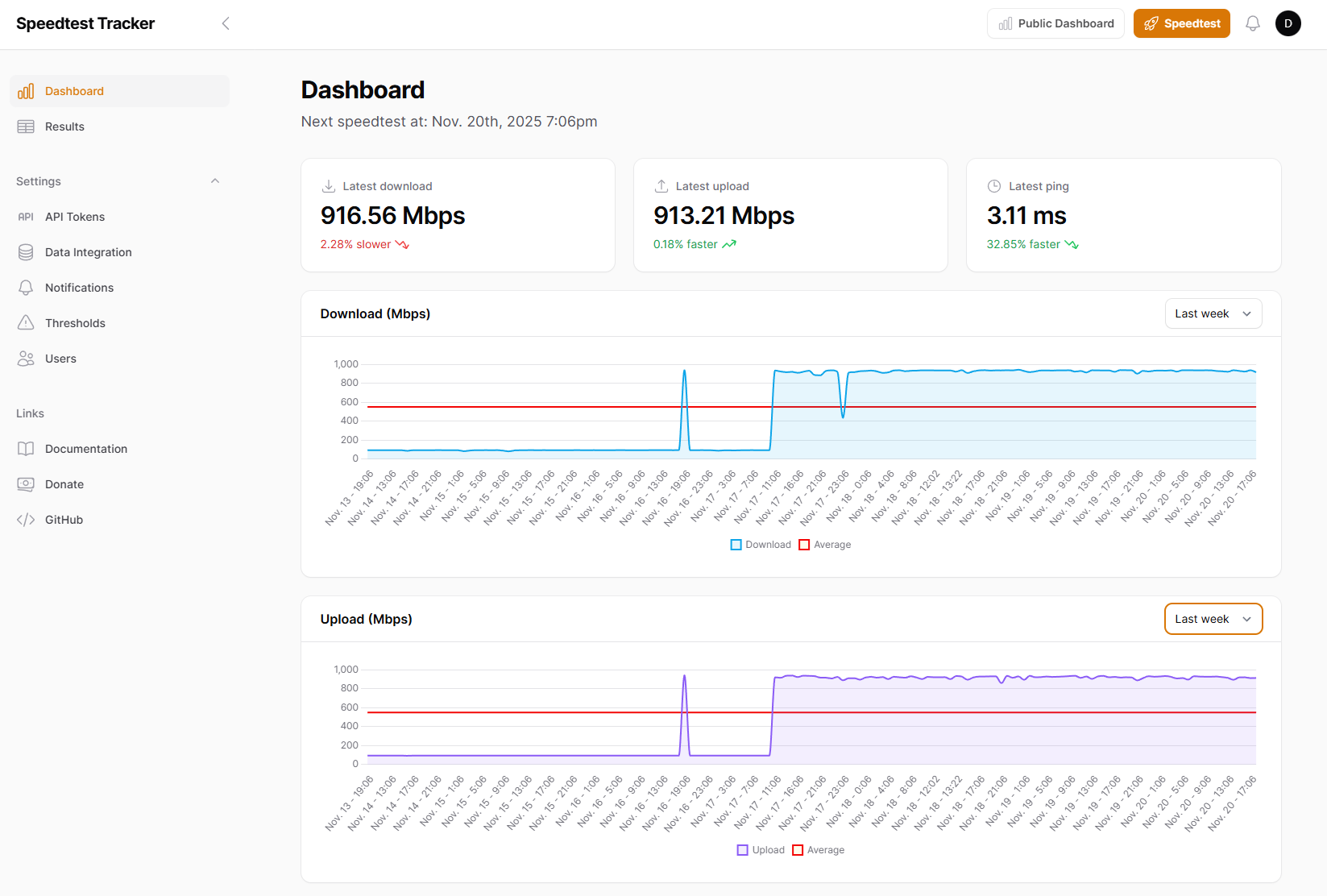
Speedtest tracking my network

Read more →
Homelab

Proxmox and CloudInit

Building Proxmox VMs with CloudImage and CloudInit instead of manual ISO installs, with a k8s cluster as the worked example.

Read more →

See it applied to real business problems

The portfolio shows how the same tools and infrastructure get put to work solving practical problems for real businesses.

See the portfolio →

Want this kind of setup for your business?

If you're interested in what self-hosted automation could do for your organisation, I'm happy to have that conversation.

Get in touch →